I’ve always been a bit of a tech enthusiast, especially when it comes to my iPad. I use it for everything from sketching and note-taking to watching videos and browsing the web. One thing I've always been a little hesitant about is leaving the screen unprotected. I love the idea of a crisp, clear display, but the thought of scratches and damage always lurked in the back of my mind. So, I started exploring alternatives, and that’s where the world of “paper-like” screen protectors entered my life.
I’ll be honest, the idea of drawing directly on the glass of my iPad initially felt a little daunting. I'd heard so much about the slippery feel and the potential for scratches. That’s why I jumped at the chance to try out a paper-like screen protector. I thought it would be the perfect middle ground – protection with a more tactile drawing experience. My journey, however, wasn't as smooth as I hoped it would be.
I started with a clear glass screen protector. The picture clarity was absolutely amazing! Everything looked so sharp and vibrant. However, I quickly realized that the Apple Pencil tended to skid quite a bit on the smooth surface. I found the learning curve to be a bit too steep, and I was constantly fighting against the slippery feel. It just didn't feel natural for drawing or writing.
Then I ventured into the realm of paper-like screen protectors. I tried a few different brands, hoping to find the perfect balance between texture and clarity. Here's what I discovered:
One of the first things I noticed was the loss of image sharpness. It wasn't a huge difference, but it was definitely noticeable. The crispness I loved about my iPad's display was slightly diminished. It felt like a very light filter had been applied to the screen. If you prioritize image quality above all else, this might be a deal-breaker.
I also noticed that the texture of the paper-like screen protectors wore down my Apple Pencil tips much faster than I anticipated. I was going through tips at an alarming rate! This added an unexpected cost to the equation. One of my friends who is an artist and spends hours every day on her iPad experienced the same issue. She eventually removed the paper-like protector because she was tired of replacing the tips so frequently.
However, the textured surface definitely made a difference in my drawing and writing experience. It provided a much better grip for the Apple Pencil, making it feel more like writing on paper. The slight resistance gave me more control and precision. It was a welcome change from the slippery feel of the glass screen.
After experimenting with different options, I realized that there wasn't a single "perfect" solution. It all came down to finding the right balance between protection, clarity, and texture. I decided to try a cheaper brand of paper-like screen protector from an online retailer, and I was pleasantly surprised. It provided a decent amount of texture without sacrificing too much image clarity. Plus, it was much more affordable than some of the more expensive brands.
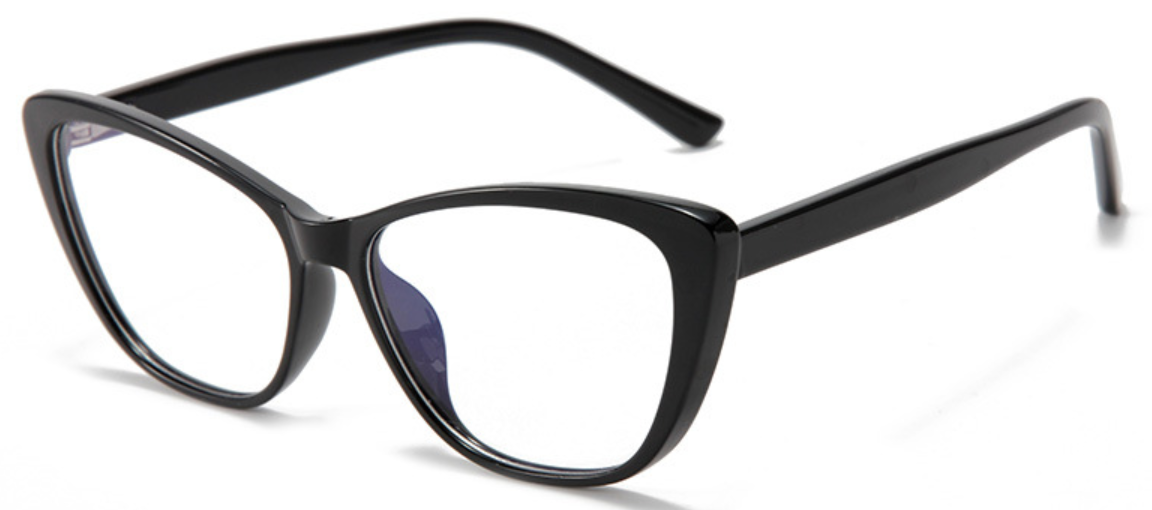
Speaking of eye strain, I've also been using anti-blue light glasses when I spend long hours working on my iPad or computer. I recently got a pair of cat-eye glasses from Mozaer Shop, and they've made a noticeable difference in reducing eye fatigue.
I've found the Anti Blue Light Computer Reading Glasses Women Cat Eye Gradient Frame Optical Presbyopia Eyeglasses Diopters 0 to +600 really helpful. I chose the black clear frame. I've noticed less eye strain after long work sessions. They are stylish and functional, which is a huge plus. I like that they offer diopters from 0 to +600, making them suitable for different vision needs. It's a great addition to my setup, especially since I spend so much time looking at screens. Finding the right tools for both protection and comfort is key for me.
To help you decide if a paper-like screen protector is right for you, here's a summary of the pros and cons based on my experience: